# Claude 推出 Dashboards 实时仪表盘与 Motion 动画讲解功能
> 原标题:Build live dashboards and animate explainers with Claude
- 来源:Claude:Blog
- 发布时间:2026-10-08T00:00:00.000Z
- AIHOT:https://aihot.news/items/winsvtlfubhjfi0wnone83j5c
- 原文:https://claude.com/blog/dashboards-and-motion
## 摘要
Anthropic 发布 Claude Dashboards 和 Claude Motion 两项 beta 功能。
## 推荐理由
官方发布给出了两个新功能的连接对象、使用方式和开放计划范围,读者可以据此判断是否纳入现有数据分析和演示流程。
## 正文 · 中文译文
从今天起,Claude 可以将你的数据转化为持续更新的仪表板,并将你的想法转化为用于下一次演示的动画讲解。Claude Dashboards 可连接 BigQuery、Databricks 或 Snowflake 等数据平台,或 Salesforce 等 CRM 工具,目前处于测试阶段,面向付费方案开放。Claude Motion 处于测试阶段,面向 Team 和 Enterprise 方案开放。Claude Docs、Slides 和 Design 已结束测试,面向所有方案开放,包括 Free。
询问公司数据相关问题通常意味着提交工单或编写 SQL。而那些用动态形式呈现效果更好的想法,往往最终又变成了一张静态幻灯片。于是人们只能等待,或者干脆放弃。Claude 原本已经能协助处理其中的部分环节。现在,你可以直接要求生成仪表板或动画本身,并查看 Claude 是如何制作的。每个图表都会显示其背后的查询,每个动画都以可编辑的代码形式构建。Claude 完成初版,由你决定分享哪些内容。
## Claude Dashboards:用自然语言快速查询公司数据
连接你公司的数据平台,例如 Amazon Redshift、BigQuery、ClickHouse、Databricks 或 Snowflake,然后用自然语言提问。Claude 会从你的数据中提取答案,构建仪表板,并随着数据变化保持其更新。它也能与你其他的连接器配合使用。例如,你可以要求生成一个展示 Salesforce 商机的仪表板。仪表板非常适合快速、探索性的问题,比如本周的注册量与上月相比如何。点击任意数字即可查看其背后的查询,或让 Claude 解释它。每个图表都会显示其数据上次刷新的时间。
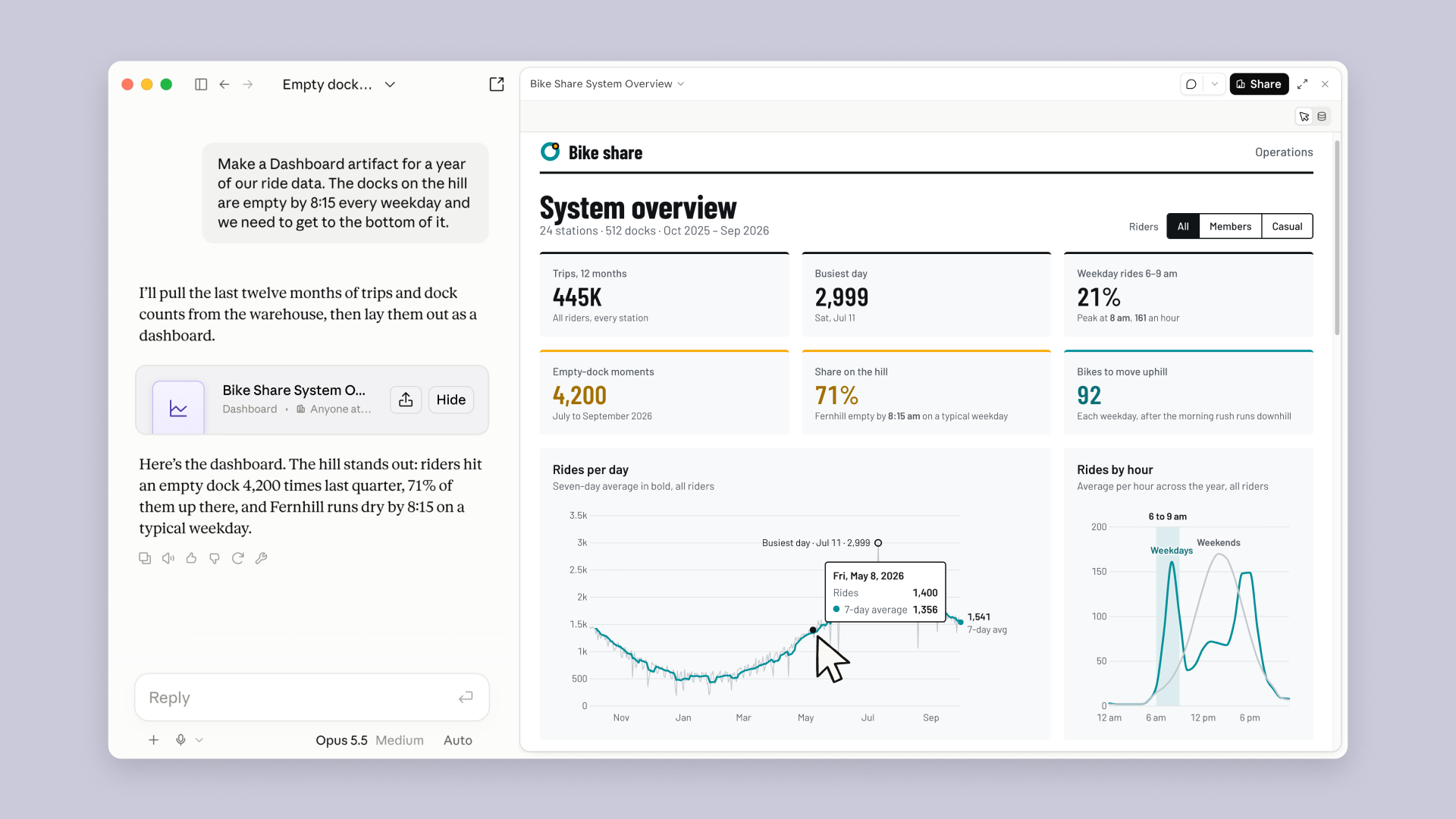
仪表板可与你的 BI 和分析工具协同工作。当某个问题需要更深入的分析时,可将仪表板从 Claude 直接发送到 Amplitude、Grafana、Hex、Mixpanel、Omni、Perplexity、PostHog 或 Sigma,并在那里继续分析,Looker、monday.com 和 Tableau 即将支持。
## Claude Motion:用动画讲解你的想法
让 Claude 将季度报告转化为一段 30 秒的讲解视频,用于全员大会;为董事会演示文稿中的图表添加动态效果;或制作产品导览用于客户入门。Claude 会根据你的提示构建动画,播放效果如同短视频。你可以在编辑器中调整,或让 Claude 修改,然后将其下载为 MP4 文件。
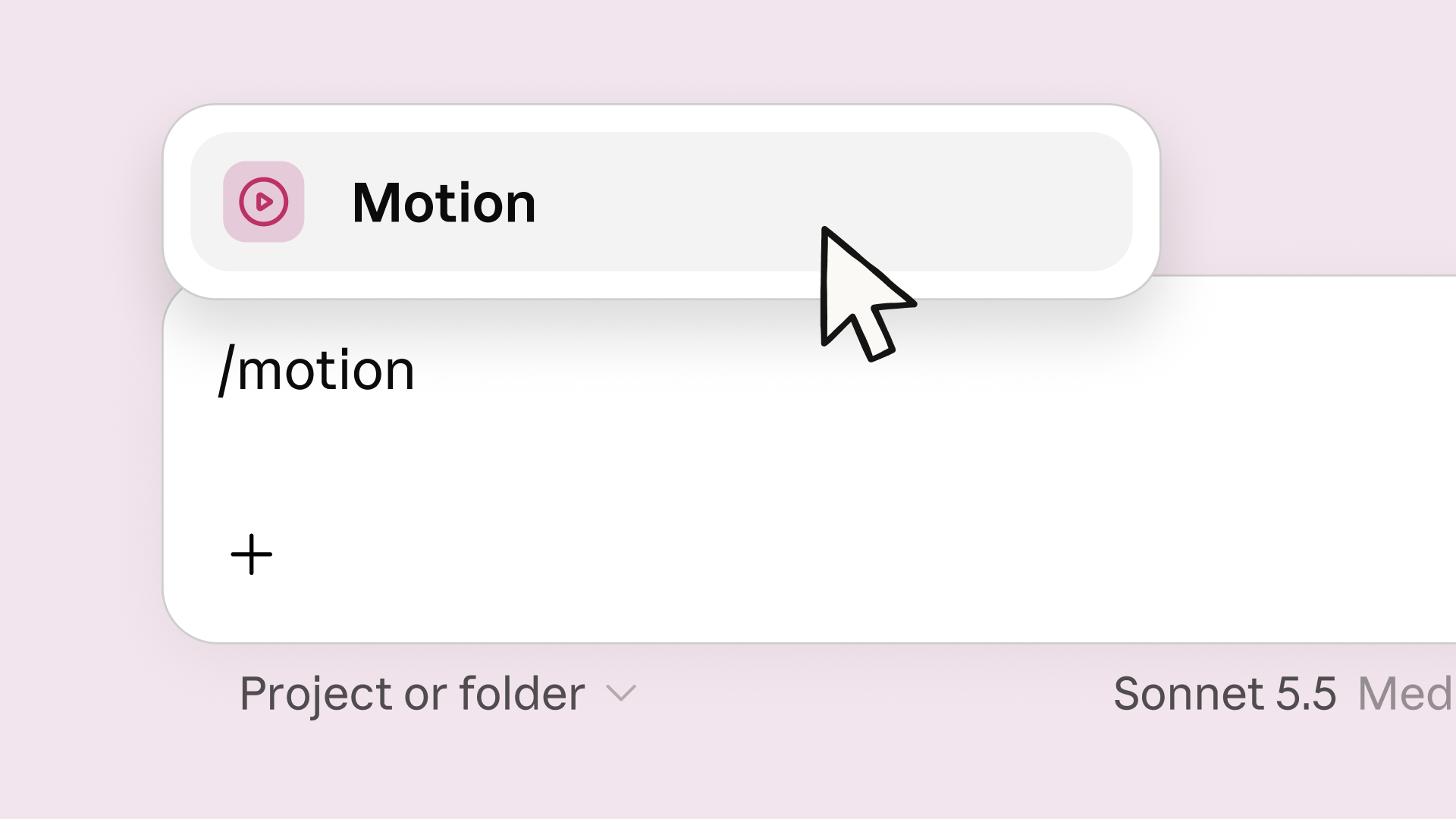
Claude Motion 专为讲解你自己的作品而打造。Claude 编写代码来为你的文本、图表、形状和图像添加动画,因此你可以更改任何文字、数字或时间点。它不使用视频生成模型,因此没有生成的视频素材,也没有 AI 生成的人物。当你想进一步加工时,可在 Adobe、Descript、HeyGen、Higgsfield、invideo、Luma AI 或 Runway 中打开,Canva 和 Captions 即将支持。
## Docs、Slides 和 Design 已准备好用于日常工作
[自从我们在每个 Claude 对话中引入 Docs、Slides 和 Design(在新标签页中打开)](https://claude.com/blog/cowork-is-now-claude)以来,人们已在 Claude 中创建了超过 4500 万份文档、演示文稿和设计。此后我们发布的大部分功能都来自你们的反馈,这些反馈让它们每天都更易于使用。因此,我们决定去掉测试版标签。
- **为企业做好准备。**Artifacts 现已支持 CMEK,管理员可以选择其组织使用的 artifact 模板。
- **与团队一起编辑。**你的团队和 Claude 可以共同处理同一份文档、演示文稿、设计或仪表板。
- **与团队之外的人分享。**如果管理员允许,你可以将幻灯片、设计、仪表盘和动画分享给组织外部的人,或任何拥有链接的人。
- **保留格式的导出。**下载的 PowerPoint 和 PDF 看起来与你在编辑器中制作的一致,演示文稿可直接以可编辑文件的形式导入 Google Slides。
- **在手机上编辑。**在 Claude 移动应用中修改文档、演示文稿或设计。
## Claude Design 已并入 Claude
Claude Design 最初拥有自己的网址 claude.ai/design。自 9 月 16 日起,Design 也能在每个 Claude 对话中使用,可以调用你的上下文、文件和连接器。同时维护两个版本会拖慢两者的修复进度,因此我们将独立站点并入 Claude。它会继续保留在 [claude.ai/design(在新标签页中打开)](http://claude.ai/design) 直到 12 月 14 日,让你有时间完成迁移。
- **今天就迁移你的设计系统。**在 Claude 的 Artifacts 页面中,点击“Migrate team design systems”。一次迁移即可导入你组织中的所有设计系统,原始版本在独立版本关闭前保持不变。
- **你的项目暂时无需你做任何操作。**它们会在独立版本中继续运行,直到该版本关闭。
- **保存你的聊天和评论。**与 Claude 的聊天以及你项目上的评论会保留在独立版本中,关闭后将无法访问。指向独立版本项目的公开链接届时也将失效。
阅读[迁移指南(在新标签页中打开)](https://support.claude.com/en/articles/17440474)了解更多信息。
## 开始使用
打开 Claude,说出你的需求,例如“构建一个按地区显示本季度收入的仪表盘”“为销售启动会制作一个展示我们定价方案对比的动画”,或“把这些笔记变成周一用的演示文稿”。从你一直等待的仪表盘,或需要不止一页幻灯片的报告开始吧。
**致 Enterprise 管理员:**仪表盘和 Motion 默认关闭,你可以在组织设置 > Artifacts 中开启。文档、幻灯片和 Design 将于 10 月 15 日默认开启,你也可以今天就开启。
## 正文 · 原文
Starting today, Claude can turn your data into a dashboard that stays current, and your ideas into an animated explainer for your next presentation. Claude Dashboards connects to a data platform like BigQuery, Databricks or Snowflake, or a CRM tool like Salesforce, and is in beta on paid plans. Claude Motion is in beta on Team and Enterprise. Claude Docs, Slides, and Design are out of beta and available on every plan, including Free.
Asking questions about company data usually means filing a ticket or writing SQL. And ideas that would land better in motion usually end up as another static slide. So people wait, or skip it. Claude could already help with parts of this. Now you can ask for the dashboard or the animation itself, and see how Claude made it. Each chart shows the query behind it, and each animation is built as code you can edit. Claude makes the first version, and you decide what gets shared.
## Claude Dashboards: ask quick questions of your company’s data
Connect your company’s data platform, such as Amazon Redshift, BigQuery, ClickHouse, Databricks, or Snowflake, and ask a question in plain language. Claude pulls answers from your data, builds the dashboard, and keeps it current as the data changes. It works with your other connectors too. For example, you can ask for a dashboard of your Salesforce opportunities. Dashboards work well for quick, exploratory questions, like how this week’s signups compare with last month’s. Click any number to see the query behind it, or ask Claude to explain it. Each chart shows when its data was last refreshed.

Dashboards work alongside your BI and analytics tools. When a question needs deeper analysis, send the dashboard from Claude straight to Amplitude, Grafana, Hex, Mixpanel, Omni, Perplexity, PostHog, or Sigma and pick up the analysis from there, with Looker, monday.com, and Tableau coming soon.
## Claude Motion: explain your ideas with animation
Ask Claude to turn a quarterly report into a 30-second explainer for an all-hands, add motion to a chart in a board deck, or make a product walkthrough for customer onboarding. Claude builds an animation from your prompt, and it plays like a short video. You can adjust it in the editor or ask Claude to change it, then download it as an MP4 file.

Claude Motion is built for explaining your own work. Claude writes code that animates your text, charts, shapes, and images, so you can change any word, number, or timing. It doesn’t use a video generation model, so there’s no generated footage and no AI-generated people. When you want to take it further, open it in Adobe, Descript, HeyGen, Higgsfield, invideo, Luma AI, or Runway, with Canva and Captions coming soon.
## Docs, Slides, and Design are ready for everyday work
[Since we introduced Docs, Slides, and Design in every Claude conversation (opens in new tab)](https://claude.com/blog/cowork-is-now-claude), people have made more than 45 million docs, decks, and designs in Claude. Most of what we’ve shipped since came from your feedback, and it makes them easier to use every day. So we’re taking the beta label off.
- **Ready for enterprise.** Artifacts now support CMEK, and admins choose which artifact templates their organization uses.
- **Edit with your team.** Your team and Claude can work on the same doc, deck, design, or dashboard.
- **Share beyond your team.** Share slides, designs, dashboards, and animations with people outside your organization, or with anyone who has the link, if your admin allows it.
- **Exports that keep your formatting.** PowerPoint and PDF downloads look like what you made in the editor, and decks go straight to Google Slides as editable files.
- **Edit on your phone.** Change a doc, deck, or design in the Claude mobile app.
## Claude Design has moved into Claude
Claude Design started at its own URL, claude.ai/design. Since September 16, Design also works inside every Claude conversation, where it can use your context, files, and connectors. Running two versions slows down fixes for both, so we’re folding the standalone site into Claude. It stays at [claude.ai/design (opens in new tab)](http://claude.ai/design) until December 14, so you have time to move over.
- **Migrate your design systems today.** On the Artifacts page in Claude, click "Migrate team design systems." One migration brings over every design system in your organization, and the originals stay unchanged in the standalone version until it closes.
- **Your projects need nothing from you yet.** They keep working in the standalone version until it closes.
- **Save your chats and comments.** Chats with Claude and comments on your projects stay in the standalone version and won't be available after it closes. Public links to standalone projects stop working then too.
Read the [migration guide (opens in new tab)](https://support.claude.com/en/articles/17440474) for more information.
## Getting started
Open Claude and ask for what you need, like “Build a dashboard of this quarter’s revenue by region,” “Animate how our pricing plans compare for the sales kickoff,” or “Turn these notes into a deck for Monday.” Start with the dashboard you’d wait for, or the report that needs more than a slide.
**For Enterprise admins:** Dashboards and Motion are off by default, and you can turn them on in Organization settings > Artifacts. Docs, Slides, and Design turn on by default October 15, or you can turn them on today.